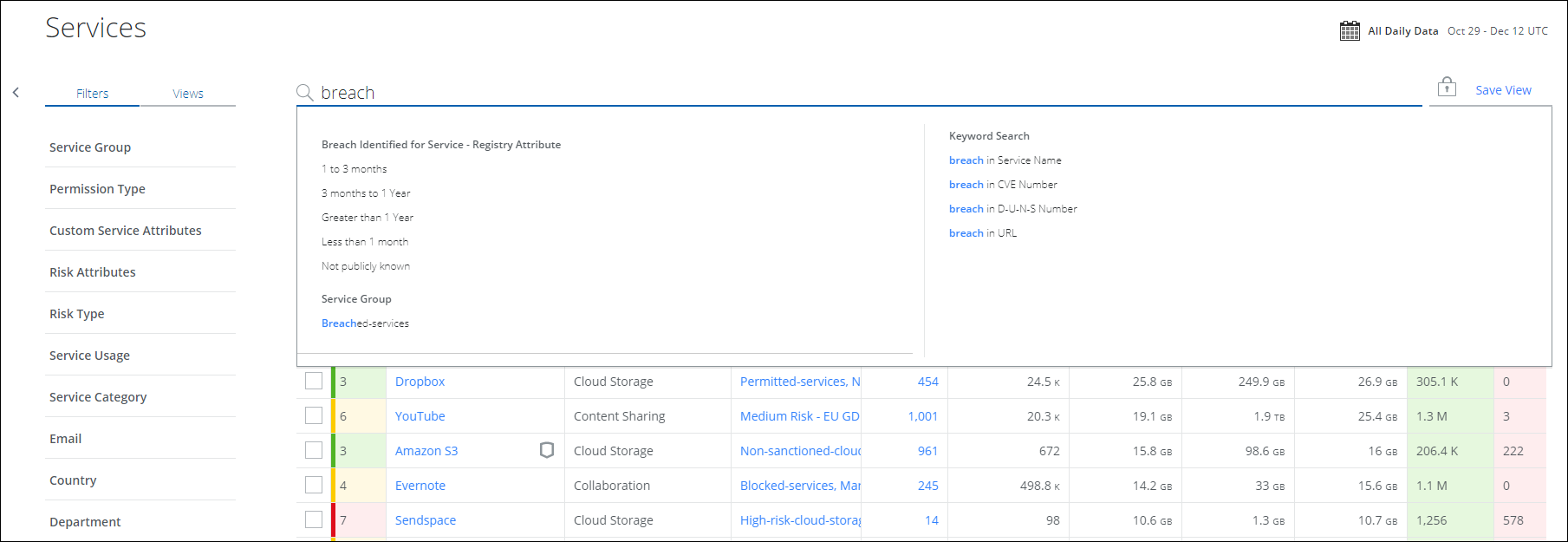
Search for Breached Services
When sensitive information of the service is accessed without authorization, it makes the service vulnerable. These vulnerable services are identified and viewed from the Breached Services page. The Breached Services page was deprecated in Skyhigh CASB 3.9.1, but you can still find a list of your company's IaaS Services.
To find a list of Breached Services:
- Go to Analytics > SaaS Discovery > Services.
- On the Filters tab, under Risk Attributes, click Breach Identified for Service. Select the duration and click Apply.
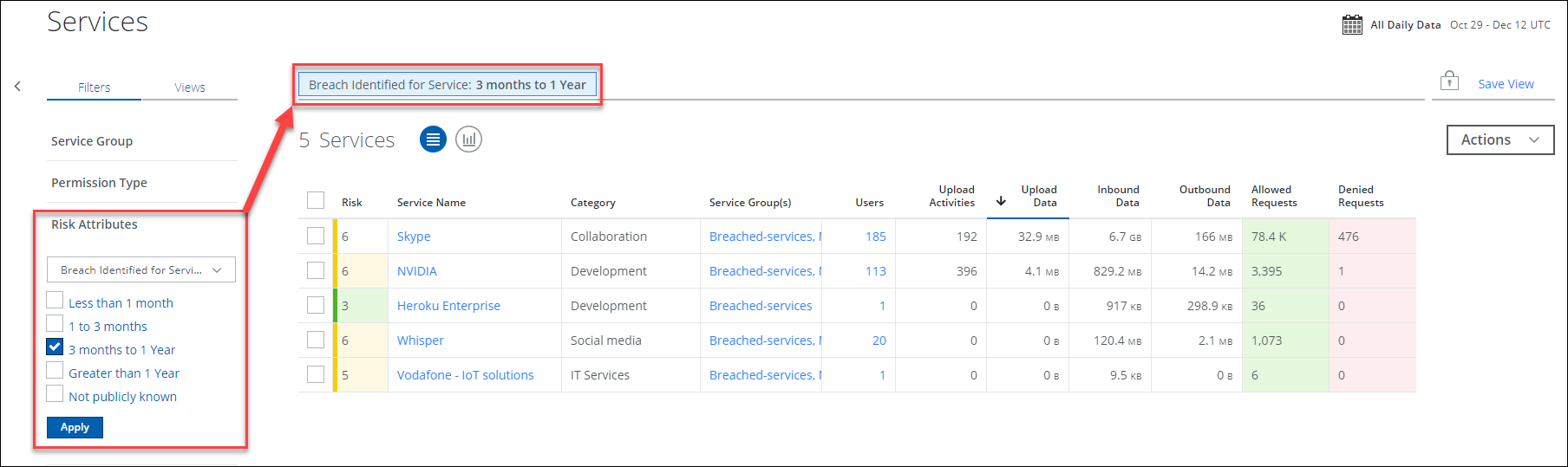
You can also use the Omnibar to select this attribute.