

Change Profile
Select User Menu > Change Profile to edit your Skyhigh CASB profile information.
NOTE: If your Skyhigh CASB tenant has not been migrated to the Skyhigh Security IAM login, the Change Profile option will not be available to you yet. It will be coming soon.
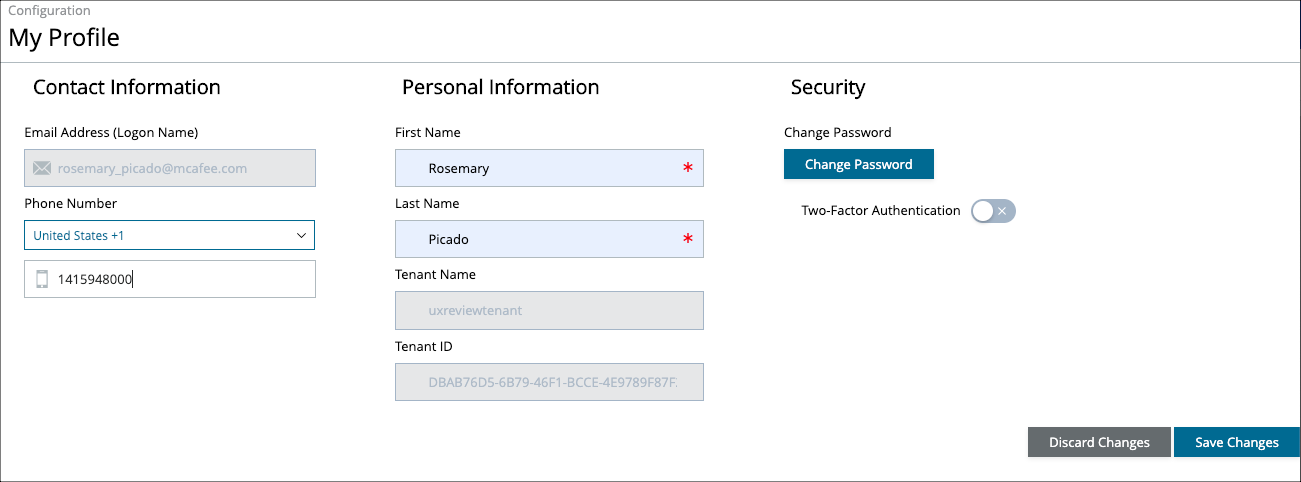
The Change Profile page provides access to the following information and actions:
- Contact Information
- Email Address (Logon Name). This is the email address used for your Skyhigh CASB account. It cannot be changed.
- Phone Number.
- Country Code. Select your country from the list.
- Phone Number. Enter your phone number.
- Personal Information
- First Name. The first name associated with your Skyhigh CASB account.
- Last Name. The last name associated with your Skyhigh CASB account.
- Tenant Name. Your tenant name as defined in Skyhigh Security provisioning systems.
- Tenant ID. Your tenant ID as defined in Skyhigh Security provisioning systems.
- Security
- Change Password. Click to change your Skyhigh CASB password. For details, see Change Password.
- Two-Factor Authentication. Toggle on to enable two-factor authentication.
Click Save Changes to update your information.