

Delete a Role
| Limited Availability: To access the Roles feature, contact Skyhigh Support. |
Only administrators can delete roles.
To delete a role:
- Go to Settings > User Management > Users and Roles.
- Click the Roles tab.
- Select the checkboxes corresponding to the role you want to delete.
NOTE: You can delete multiple roles simultaneously.
- Click the Actions menu.
- Select Delete Role from the menu.
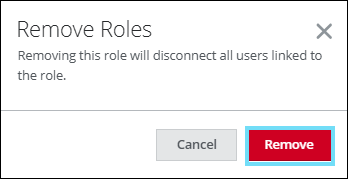
Deleting roles disconnects the associated users from them.

- On the Remove Roles dialog, click Remove.
Once deleted, the roles are no longer displayed and will not be included in CSV exports.