

Troubleshoot URL Blocks Caused by AI and ML Categories
Starting with Secure Web Gateway (SWG) version 12.2.21, Skyhigh introduced new AI and ML URL categories. Existing policies do not include these categories by default, which can result in unexpected URL blocks. This behavior can appear in SWG hybrid deployments, SWG On-prem systems running version 12.2.21 or later, and SWG Cloud-only environments.
Impact
You may see unexpected URL blocks when SWG 12.2.21 classifies traffic under the new AI and ML categories. This behavior often occurs in policies that end with a block all or block unmatch rule. If earlier rules do not reference these categories, SWG treats the traffic as unmatched and applies the final block rule.
Resolution
The following sections explain how to apply this resolution in SWG On-prem, hybrid, and SWG Cloud environments:
SWG On-prem
After you upgrade to version 12.2.21, you must configure access control for the new AI and ML URL categories in the allow/block rules.

SWG hybrid
Skyhigh Cloud Proxies already run version 12.2.21 and include the new AI and ML category objects. SWG On-prem systems on earlier versions do not support these categories, creating a mismatch. After upgrading the SWG On-prem to 12.2.21, you must configure access control for the new categories in allow/block rules.
Workaround
If you cannot upgrade the SWG On-prem to 12.2.21 immediately, you can still control access to the new categories. The SWG On-prem device can see the new category objects in policy management, but they are not yet available in the regular category list.
To resolve this limitation, configure access control using a String List match. This approach lets you enforce allow/block rules for the new categories until you perform the full upgrade.
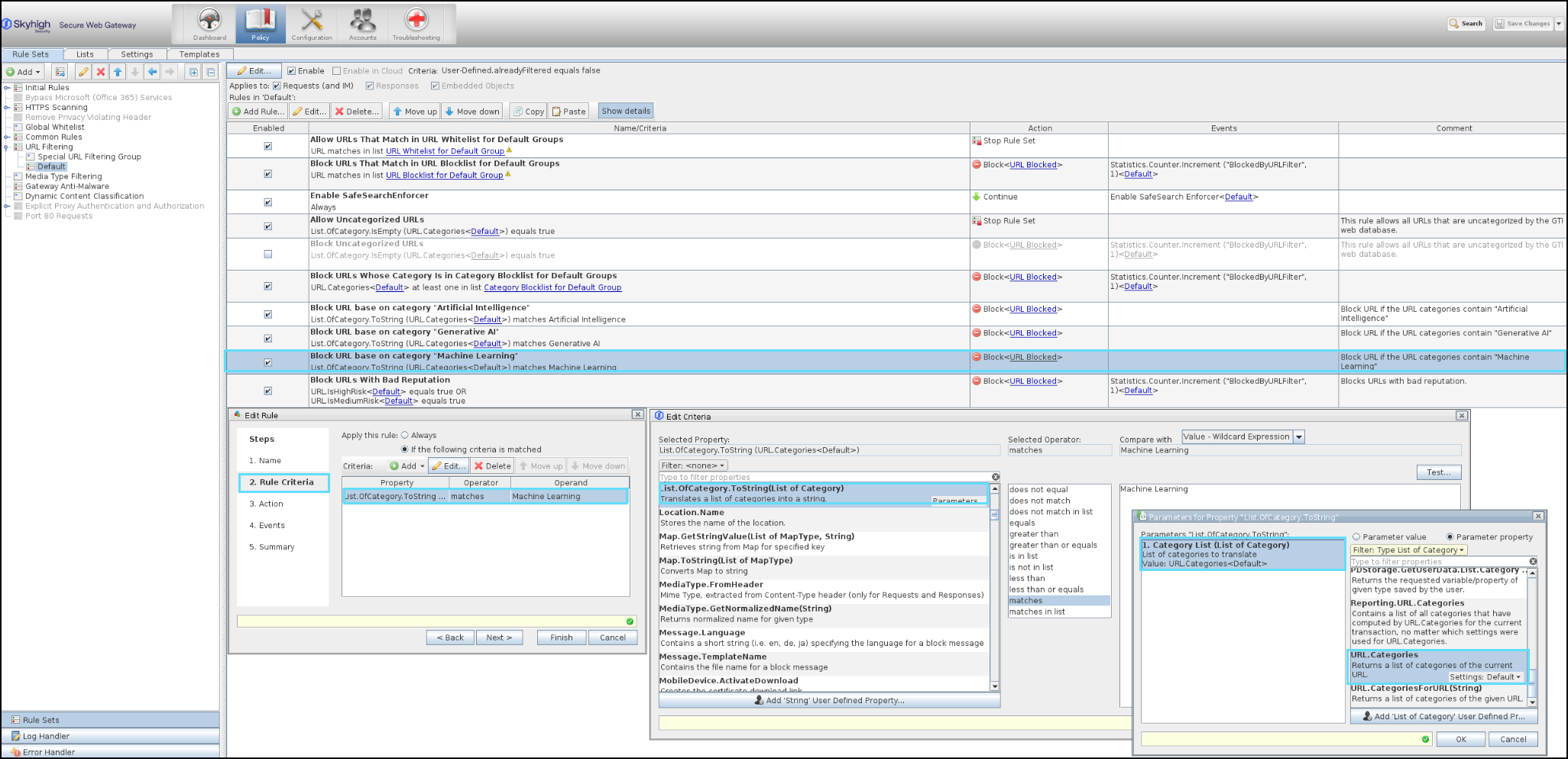
SWG Cloud
Skyhigh Cloud Proxies already run version 12.2.21 and include the new AI and ML category objects. You must update your URL category allow/block rules to control access to these new categories.

NOTE: To submit feedback for new or existing AI or ML categories, see Submit Feedback for New or Existing AI and ML Categories.