

Enable Factory Reset for Android Devices
This topic explains how to add the Skyhigh Client app from the Play Store to Microsoft Intune, configure it for managed Android devices, and enable the Factory Reset option using an app configuration policy.
Prerequisites
- Ensure the Skyhigh Client app is available on the Play Store.
- The target device group must be created and accessible in Intune.
Add the Skyhigh Client app in Intune
You can add the Skyhigh Client app from the Play Store to Microsoft Intune to deploy and manage it on Android devices.
To add the app:
- In Microsoft Intune, go to Apps > Android.
- Click Create.

Select app type window opens.
- From the App type dropdown, select Android store app.
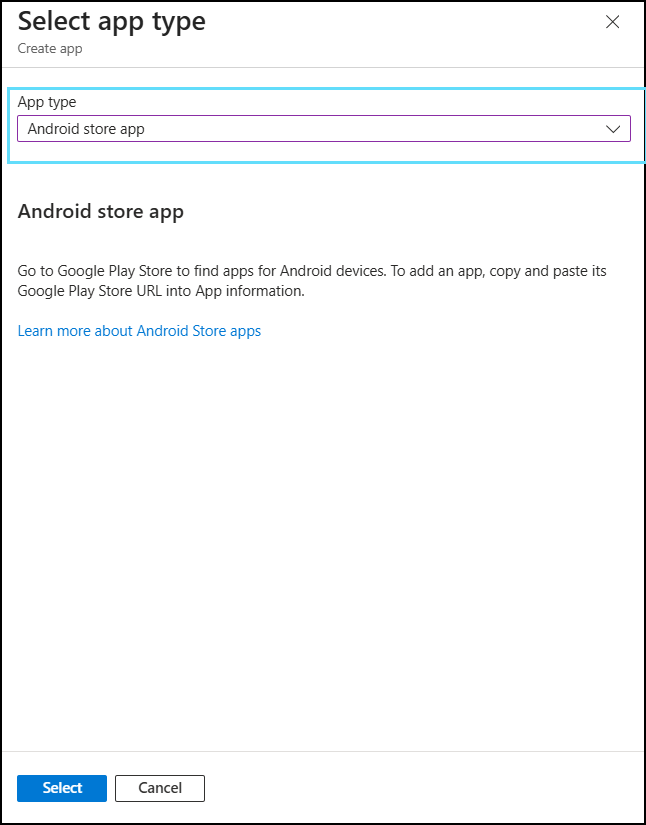
- Click Select.
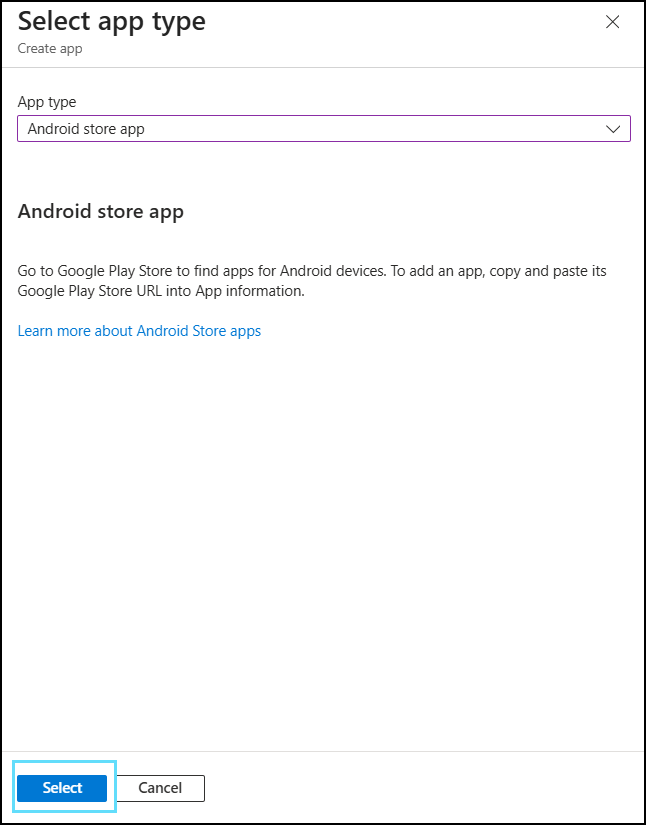
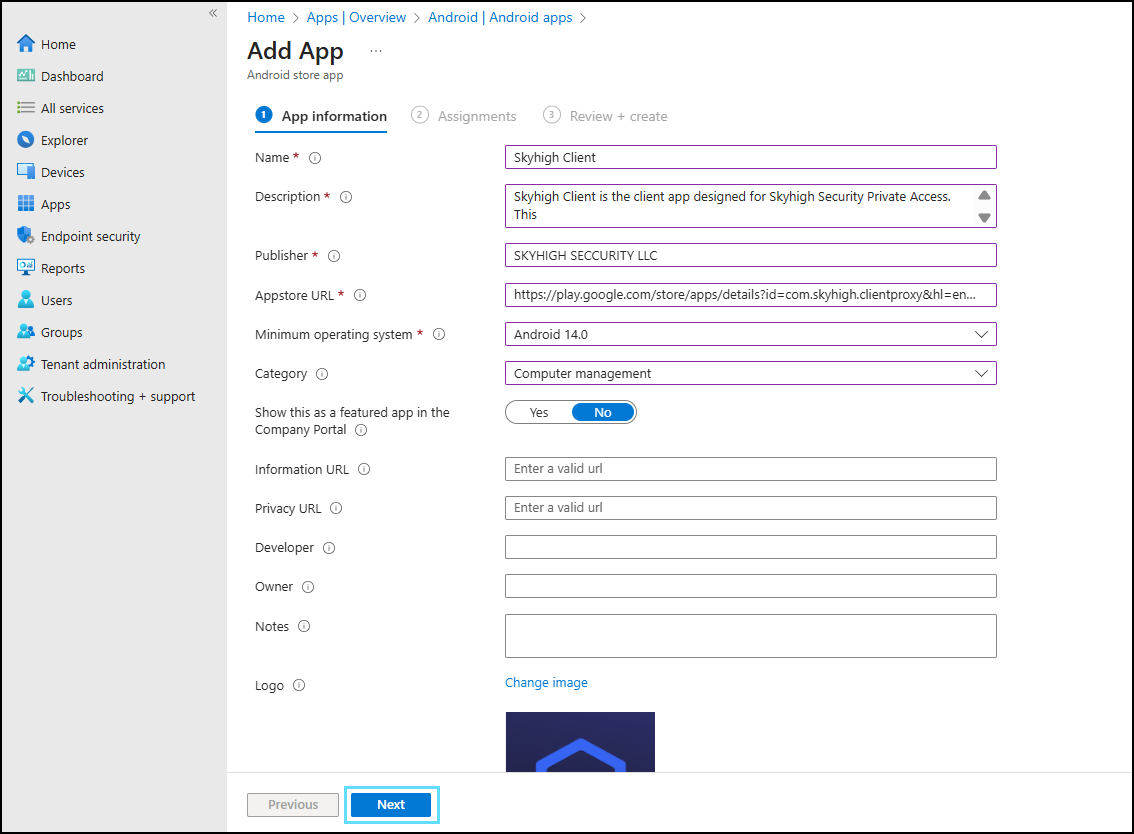
Add App window opens.
- Review the App information and click Next.
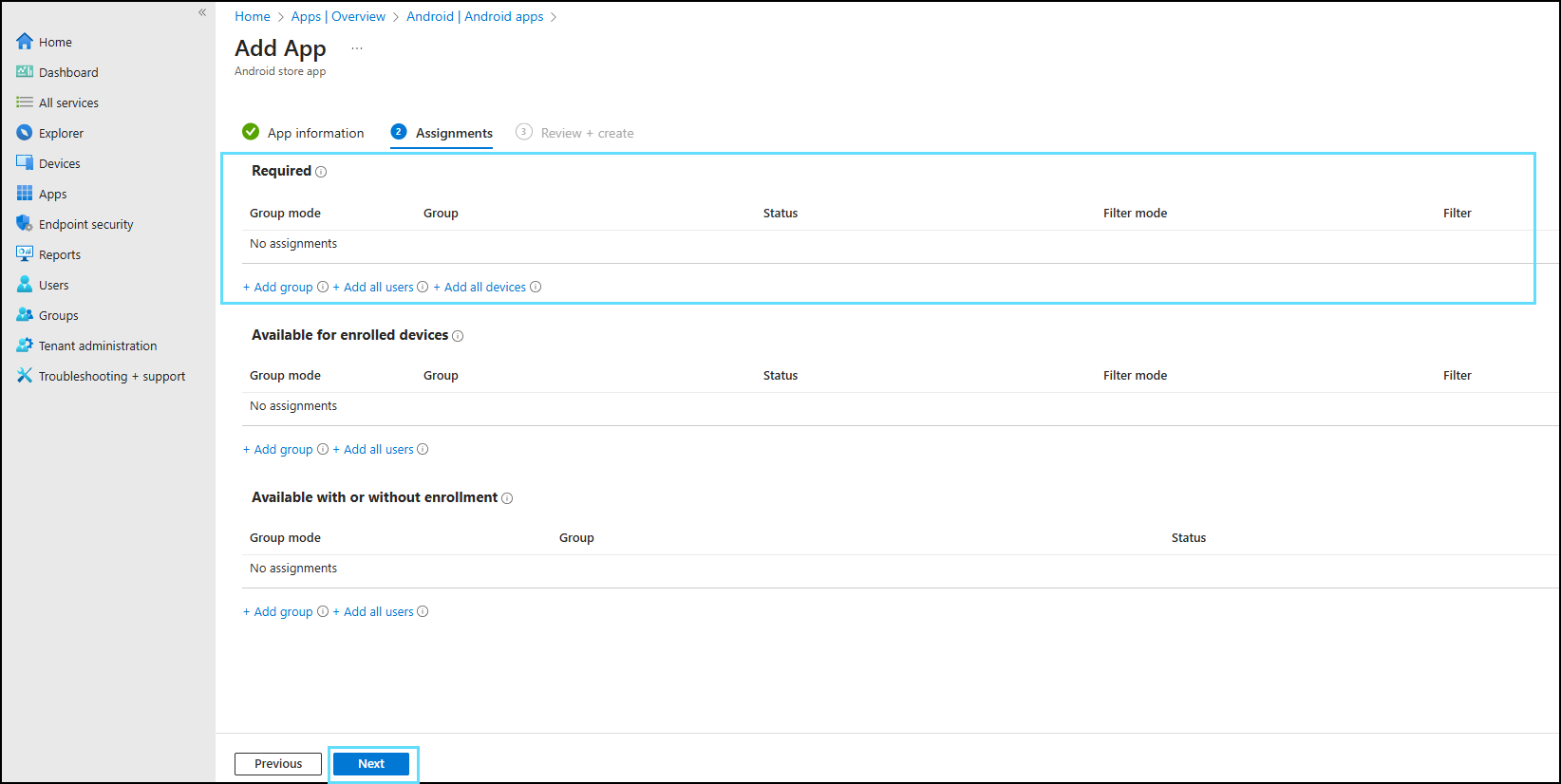
- Under the Assignments tab, add the required device or user group in the Required setting and click Next.
- Under the Review + create tab, review the app summary and click Create.
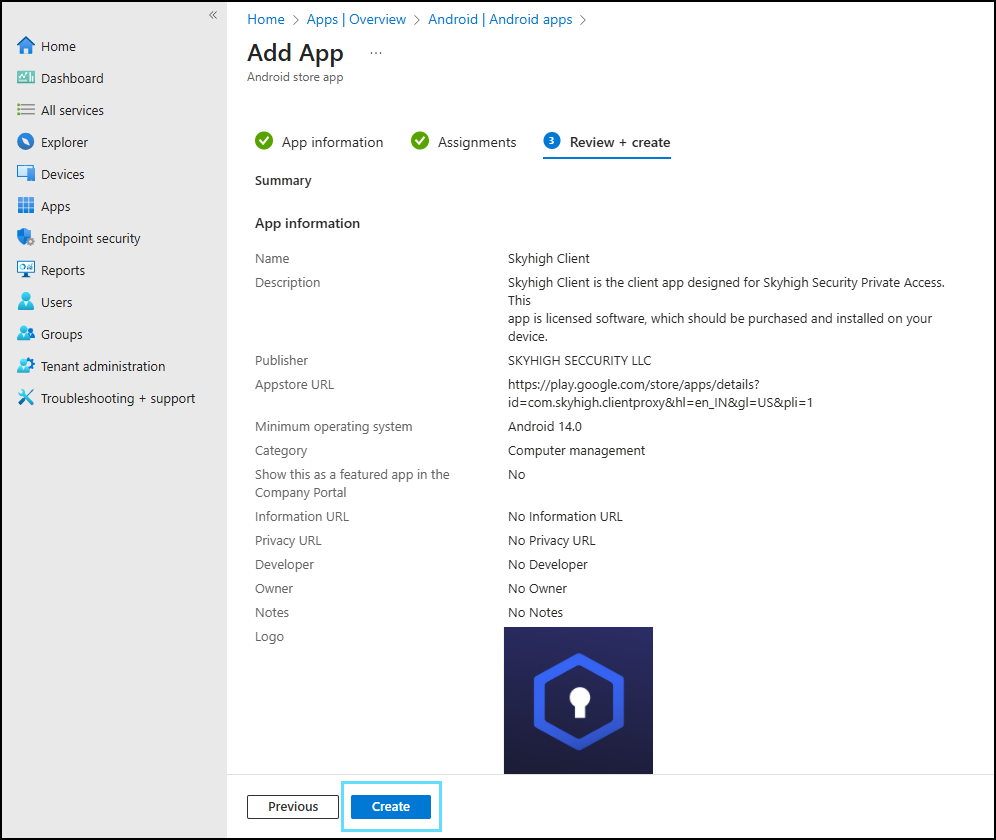
The Skyhigh Client app is added to Intune.

Add App Configuration to Enable Factory Reset Option
You can create an app configuration policy for the Skyhigh Client app in Microsoft Intune to enable the Factory Reset option on managed devices.
To create an app configuration policy:
- In Microsoft Intune, go to Apps > Manage apps > Configuration.
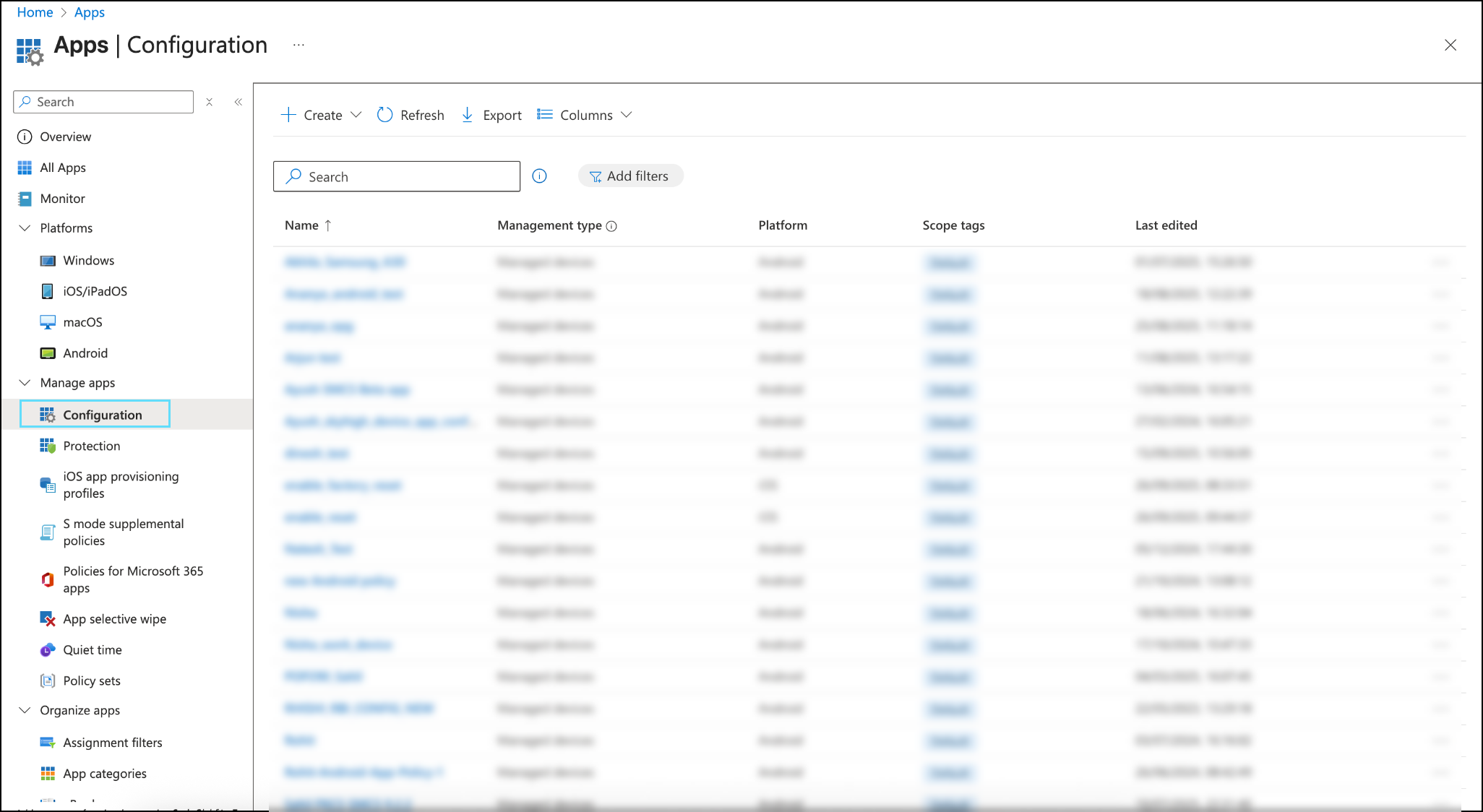
- Click Create > Managed devices.

Create app configuration policy window opens.
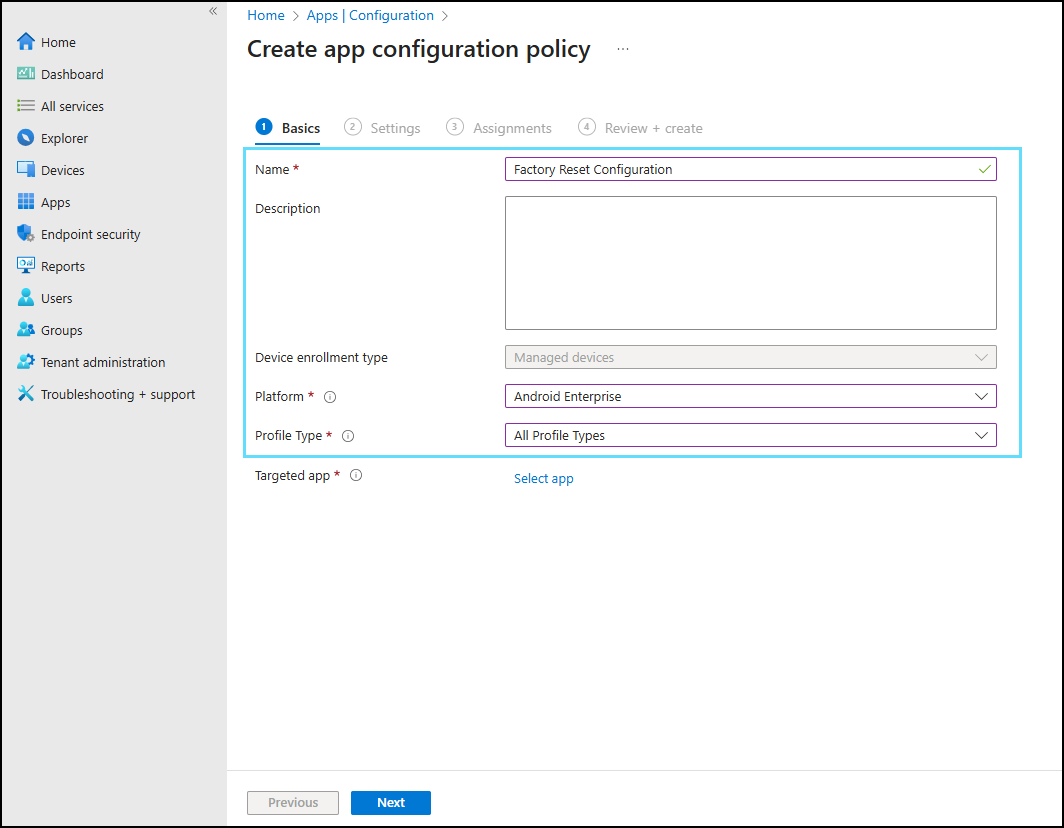
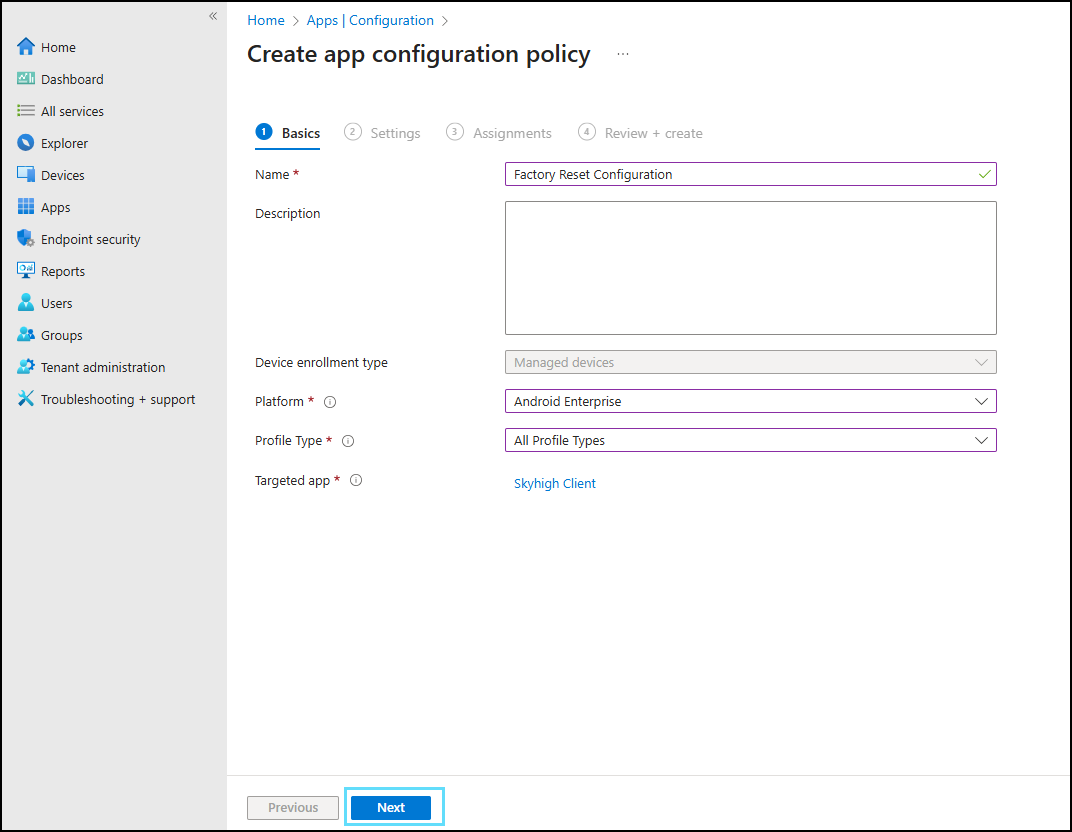
- Under the Basics tab, configure the following settings:
- Enter the Name.
- Select Android Enterprise as the Platform.
- Select All Profile Types as the Profile Type.
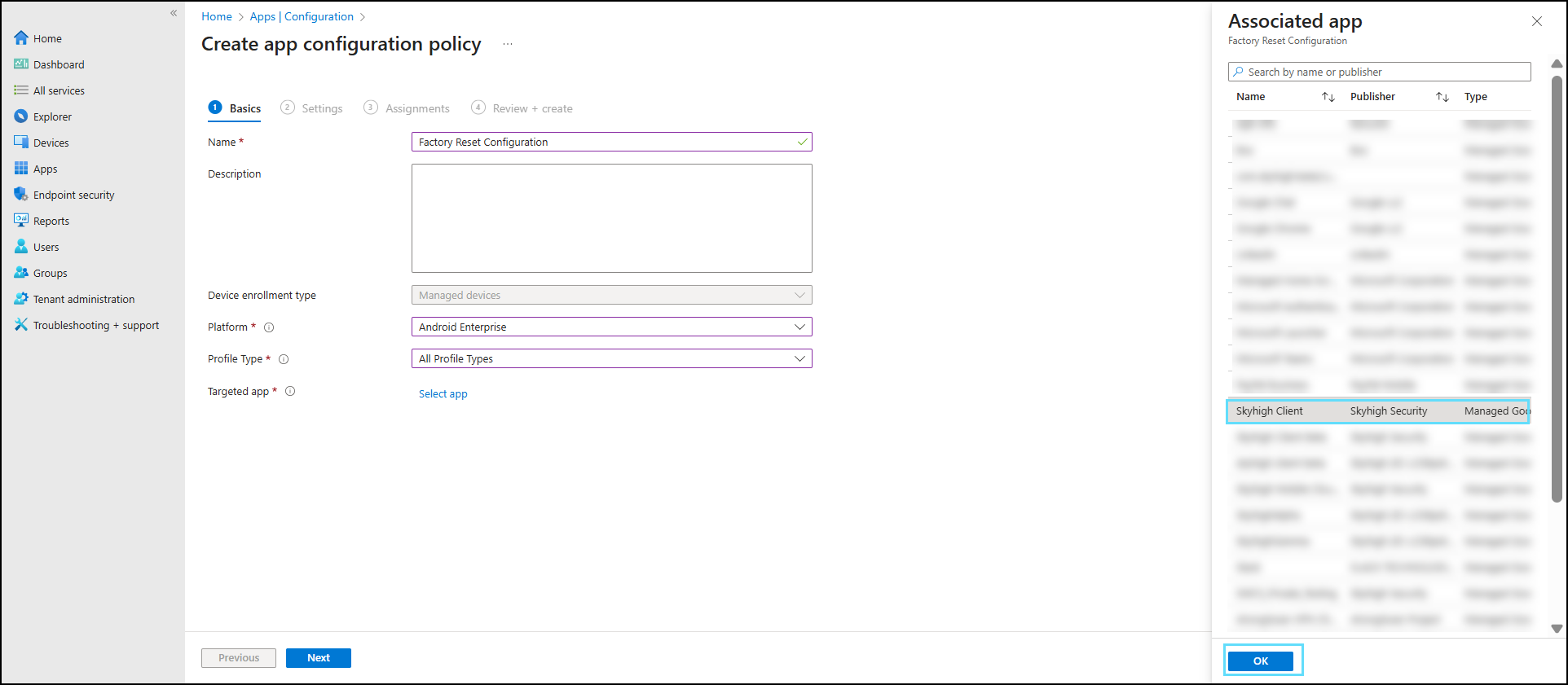
- Select the previously added app as the Targeted app and click OK.
- Click Next.
- Under the Settings tab, from the Configuration settings format dropdown, select Use configuration designer.
- Enter the Configuration key as SCApp Factory Reset Allow, set the Value type to Boolean, and enter the Configuration Value as true to enable the Factory Reset option.
- Click Next.

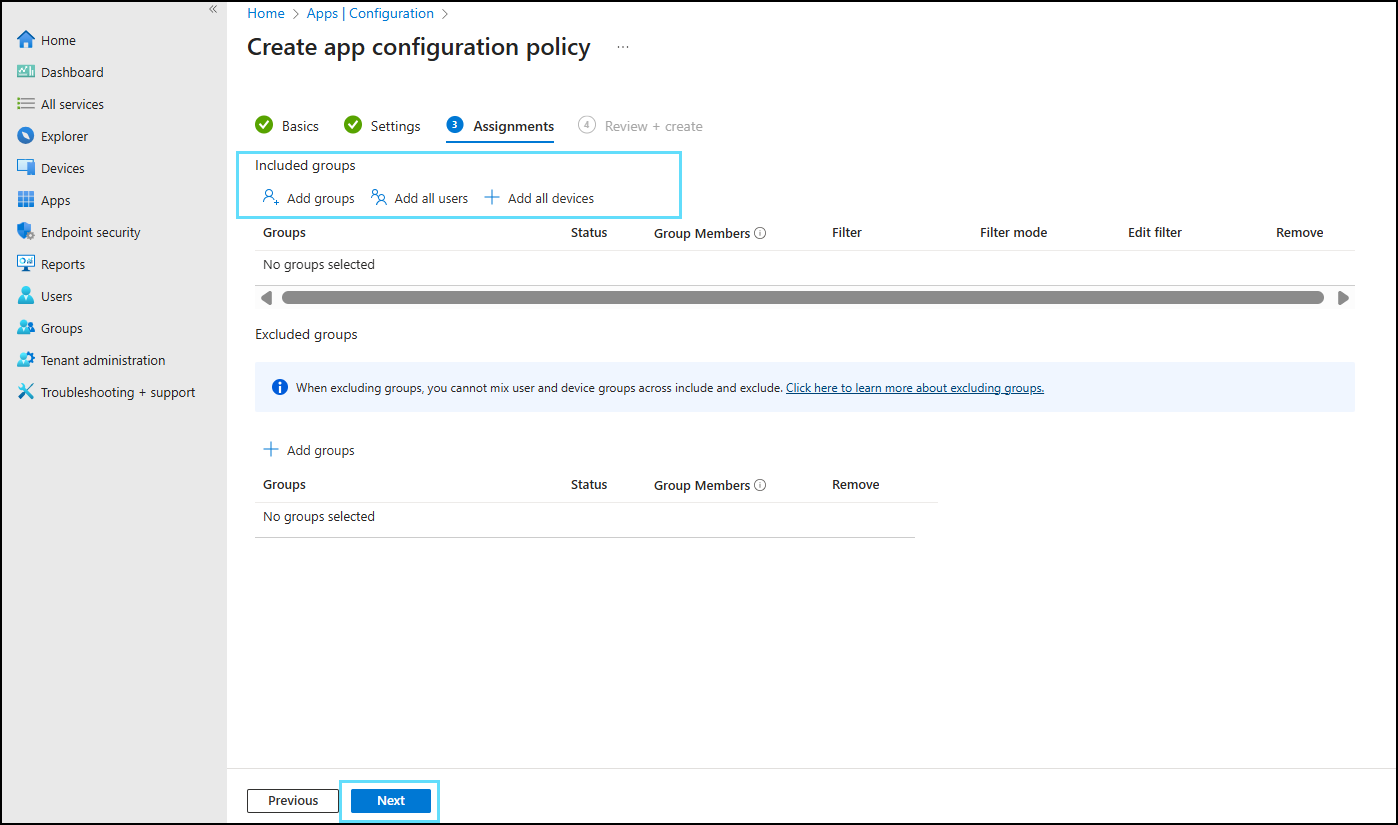
- Under the Assignments tab, add the required group in the Included groups setting and click Next.
- Under the Review + create tab, review the factory reset configuration and click Create.
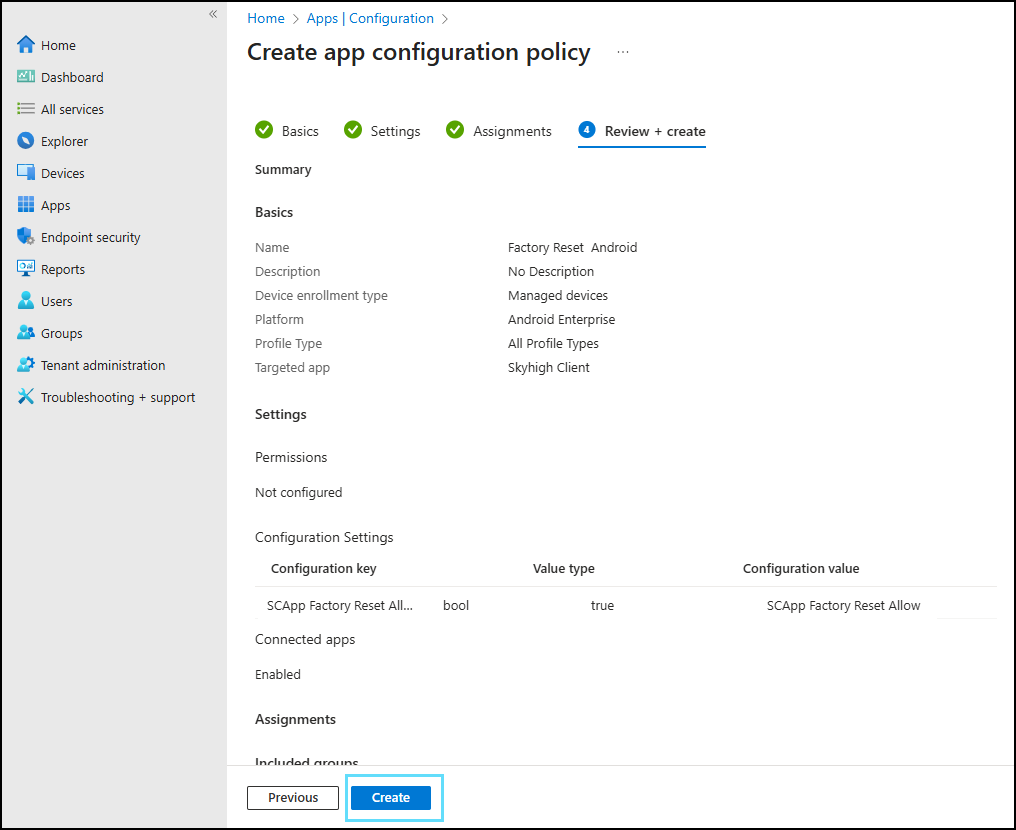
The Skyhigh Client app is now added to Intune and configured with the Factory Reset option enabled for managed devices.