

Configure Per-App VPN for Android App in Workspace ONE UEM
Per-App VPN provides granular control over network traffic by routing only selected Android applications through a secure tunnel. This approach protects access to internal resources while allowing personal traffic to bypass the corporate network. To apply these policies, ensure you keep the VPN client connected and running on the device. After updating the app restriction list, restart the VPN service for the changes to take effect.
Create App Configuration Policy
Follow these steps to configure and deploy a Per-App VPN policy to managed Android devices through Workspace ONE UEM.
- Log in to the Workspace ONE UEM console.
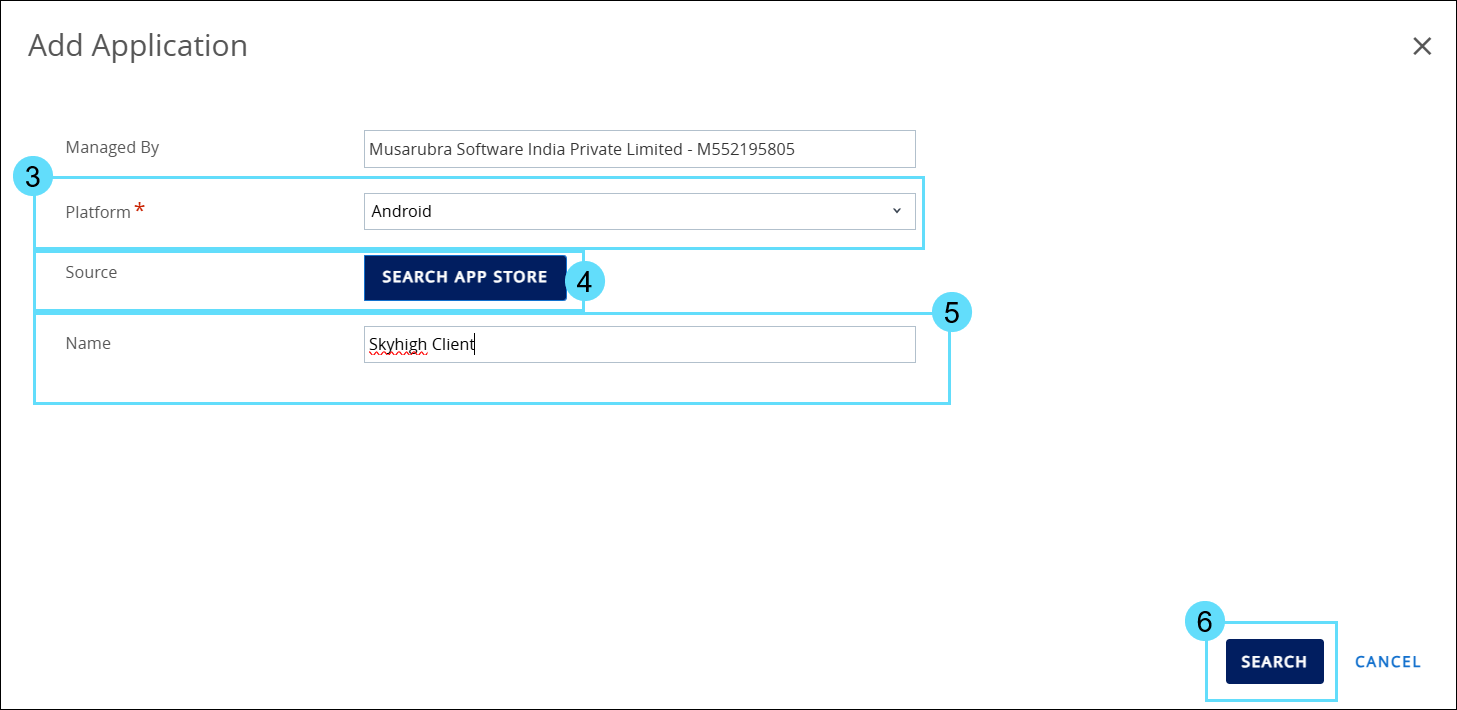
- Go to Resources > Native Apps > Public > Add Application.

- Select Android as the Platform from the dropdown.
- Select SEARCH APP STORE as Source.
- Enter Skyhigh Client as the app name.
- Click Search.
_11.png?revision=1&size=bestfit&width=873&height=425)
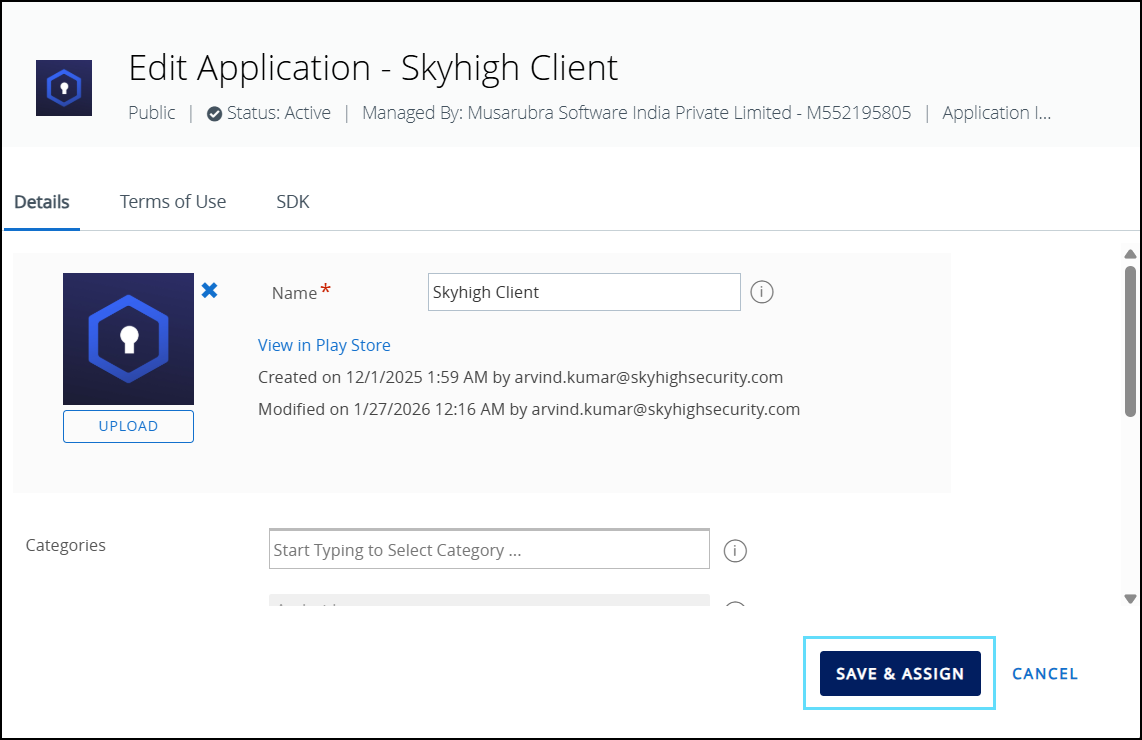
- Select the Skyhigh Client app from the search result.
_1.png?revision=1&size=bestfit&width=880&height=435)
- Click SAVE & ASSIGN.
_1.png?revision=1&size=bestfit&width=835&height=541)
- Under the Distribution tab, enter an assignment name in the Name field and add device groups under Assignment Groups as needed.
_11.png?revision=1&size=bestfit&width=915&height=402)
- Go to the Application Configuration tab and enable Send Configuration.
_1.png?revision=1&size=bestfit&width=899&height=393)
- Enter the application package names in the SCAppPerAppInclusion field to specify apps that must use the VPN tunnel, or the SCAppPerAppExclusion field to specify apps that must bypass the VPN tunnel.
NOTE: You can enter either the inclusion list or the exclusion list at a time, not both.
_1.png?revision=1&size=bestfit&width=907&height=403)
- Click SAVE.
_2.png?revision=1&size=bestfit&width=912&height=405)
- Click PUBLISH.

The app has been added.

When the Skyhigh Client app VPN is active and connected, apps in the inclusion list use the VPN tunnel while other apps access the internet directly; when the exclusion list is selected, listed apps access the internet directly, and all other app traffic is routed through the VPN tunnel.